

Forgetting your Apple Watch passcode is stressful enough — but it’s worse when your iPhone isn’t nearby to bail you out. The good news: you don’t need the iPhone to wipe the watch and start over. Apple built a hardware-button reset right into watchOS for exactly this situation. All you need is the watch’s charger. Here’s how to erase an Apple Watch without an iPhone when you’ve forgotten the passcode.
What you’ll need
Place the Apple Watch on its magnetic charger and leave it there for the entire process. The reset will not work unless the watch is charging — this is a deliberate safety requirement. You’ll also want a Wi-Fi network nearby for setting it up again afterwards, though the erase itself doesn’t need one.
Reset the watch using its buttons
1. Put the watch on its charger
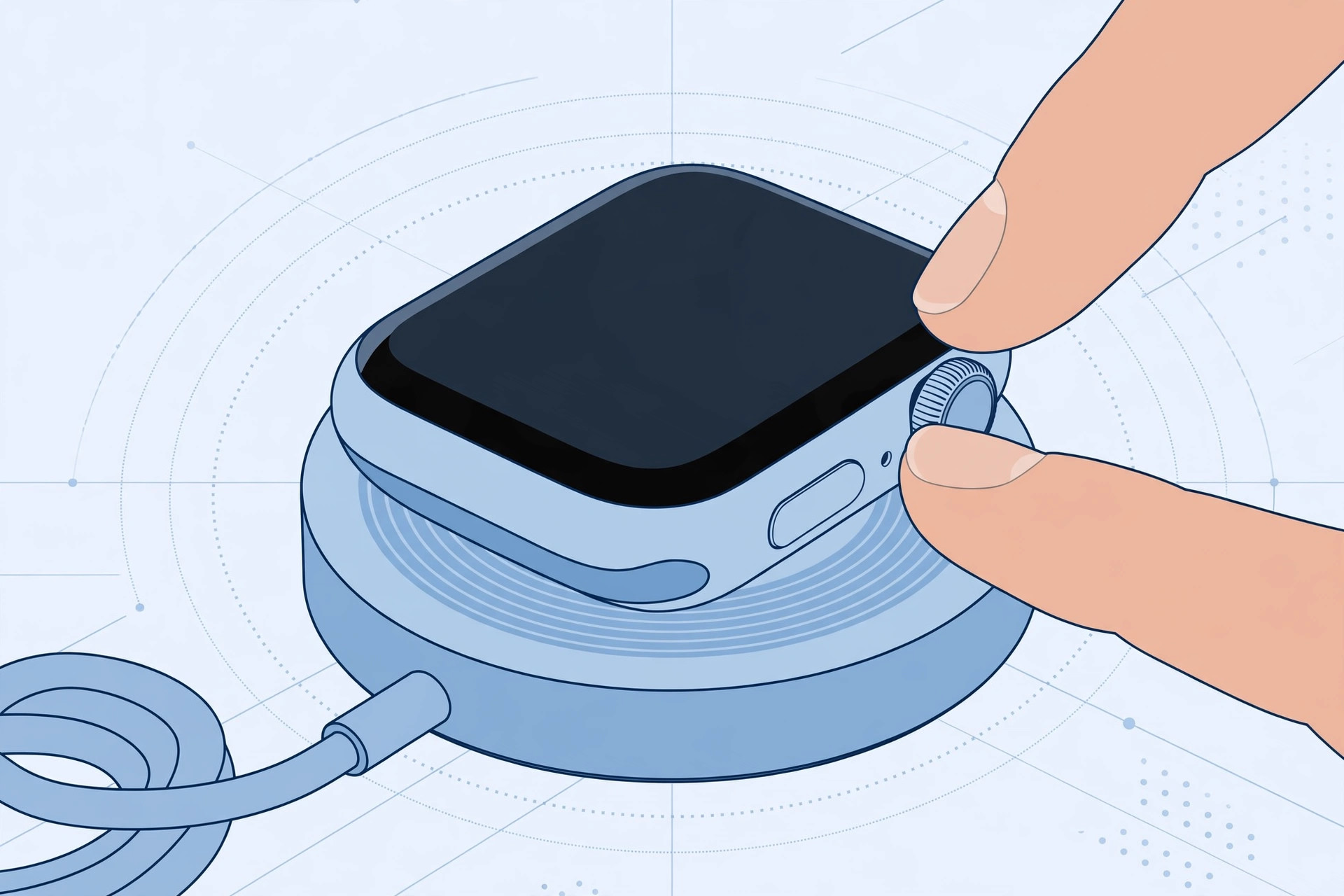
Set the Apple Watch on its charger and wait until you see the green charging indicator. Keep it on the charger until the whole reset is finished.
2. Hold the side button
Press and hold the side button (the elongated button below the Digital Crown) until the power-off screen appears, showing the Power Off slider and the Medical ID / Emergency SOS options.
3. Hold the Digital Crown
Now press and hold the Digital Crown. After a few seconds, a new option appears: Erase all content and settings. Tap it, then tap Reset — twice, to confirm. The watch erases itself and restarts as if it were new.
Apple documents this exact sequence in its Apple Watch support pages, and outlets like 9to5Mac have walked through it for readers locked out of their watches.
Important: Activation Lock stays on
Erasing the watch does not remove Activation Lock. When the watch restarts, you’ll still need the Apple ID and password that were signed in on it before you can pair it again. This is by design — it stops a thief from wiping a stolen watch and using it. If you bought the watch second-hand and it’s locked to someone else’s Apple ID, only that person can remove it.
Alternative: reset from the Watch app (if you have the iPhone)
If your iPhone turns up, there’s an easier path that also erases the watch: open the Watch app on iPhone, go to My Watch → General → Reset, then tap Erase Apple Watch Content and Settings and confirm with your Apple ID password. This does the same full wipe, but from the phone. For keeping the two devices in sync afterwards, see our guide to setting up message sync between iPhone and Mac — the same Apple ID continuity applies to the watch.
If it still doesn’t work
If holding the Digital Crown does nothing, double-check that the watch is actually charging — a loose magnetic connection is the most common cause. Try a different charger or outlet, and make sure the watch has at least a little battery. If the screen is completely unresponsive, force-restart first (hold both the side button and Digital Crown for about 10 seconds until the Apple logo appears), then try the erase sequence again. And if you want to silence annoying hardware sounds on your other Apple gear while you wait, here’s how to turn off AirPods charging case sounds.
Frequently asked questions
Will I lose my health and activity data?
Your health data is backed up to your iPhone (and iCloud, if enabled) whenever the watch syncs, so most of it survives. Anything recorded since the last sync that never reached the phone may be lost. After the reset, pair the watch again and restore from the backup offered during setup.
Can I reset someone else’s Apple Watch I found?
You can erase it with the button method, but Activation Lock will still demand the owner’s Apple ID before it can be set up. There’s no legitimate way around this — return the watch to its owner or hand it to Apple.
Conclusion
A forgotten Apple Watch passcode doesn’t require a trip to the Apple Store or even your iPhone: charger on, hold the side button, hold the Digital Crown, and tap Erase all content and settings twice. Just remember your Apple ID password for the setup afterwards — Activation Lock isn’t going anywhere, and that’s exactly the point.





